Membership Enhancements
 Sign-In
Parks & Rec > Sign-In > Sign-In > Choose Workspace Location > Contact > SIGN IN
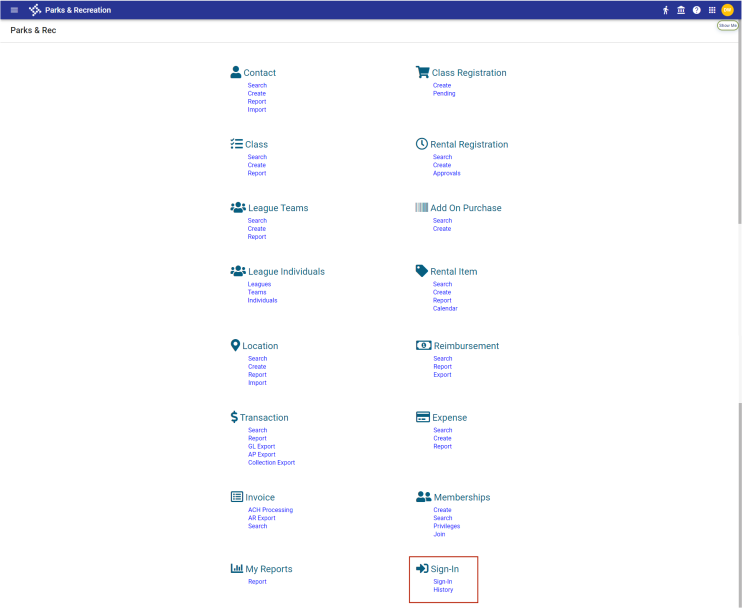
To accommodate class, activity and non-membership sign-ins, the Sign-In option has been moved from the Memberships menu to a new Sign-In menu. A sign-in History option also has been added to the new menu:
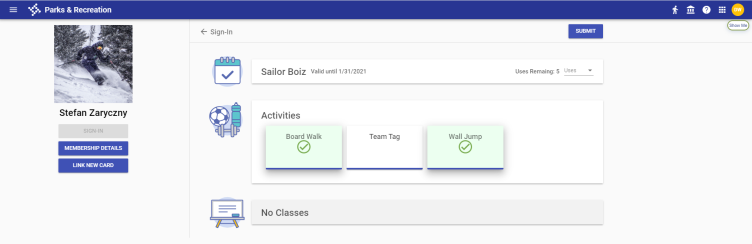
The Sign-In page has been redesigned with a friendlier, more modern look that includes icons and individual cards when Sign-In Settings allowing access without a membership are enabled in System Settings:
Sign-In Settings
Administration > System Setup > System Settings > Sign-In Settings
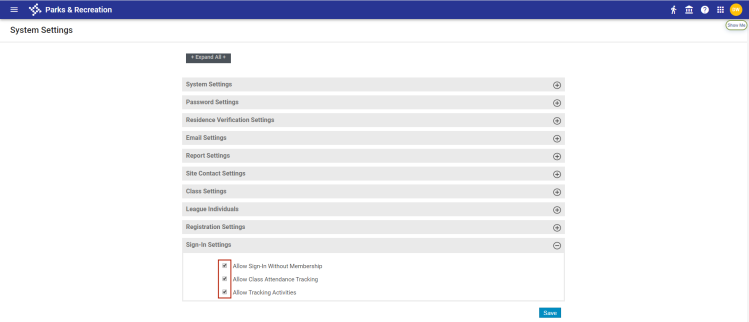
Sign-In Page
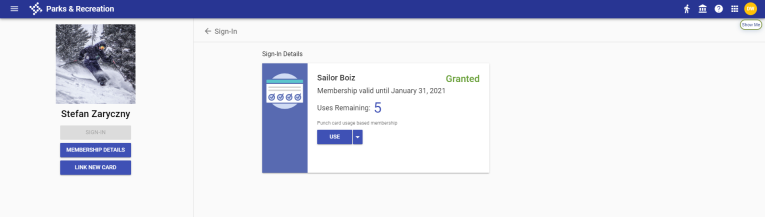
When Sign-In Settings are disabled in System Settings, different icons denote usage- and time-based memberships. Usage-based icons show punch cards, while time-based icons show calendars:
Usage-Based Sign-In Page
Time-Based Sign-In Page
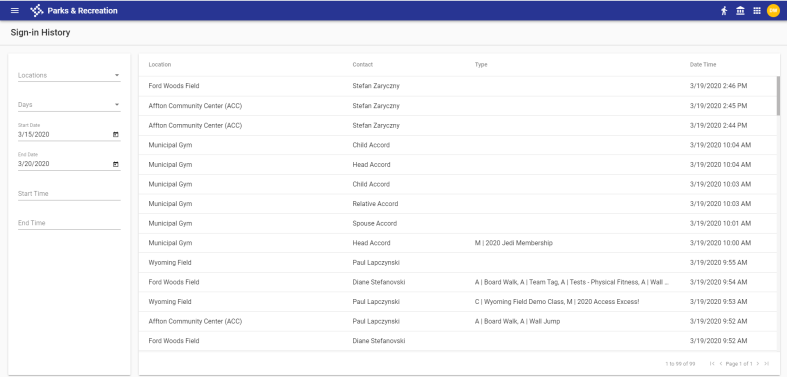
The Sign-In History page lets you view sign-in history according to locations, days of the week and date and time ranges selected in the filter panel:
Family Membership
Parks & Rec > Memberships > Search > Create/Edit
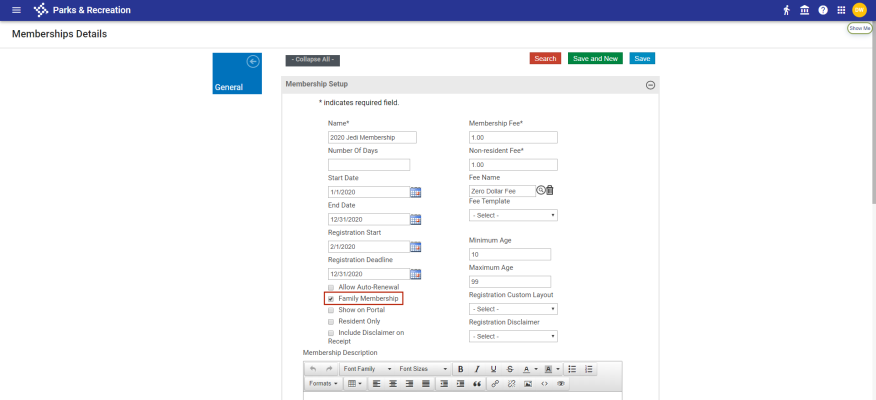
A Family Membership check box has been added to the Membership Setup section of the Membership Details page to allow access for any contact's family members. This check box replaces the Is a Group Membership check box:
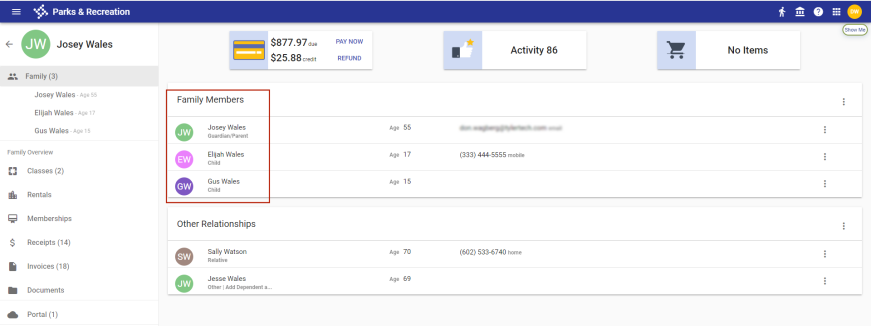
Qualified family members are those who appear in the Family Members section of the contact's page and who meet applicable age restrictions:
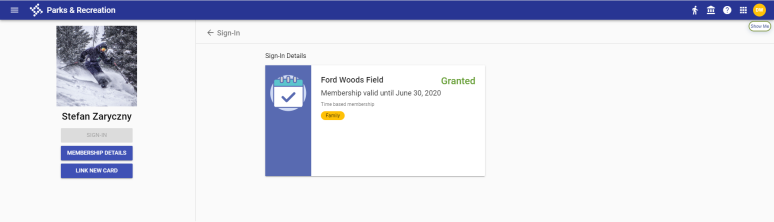
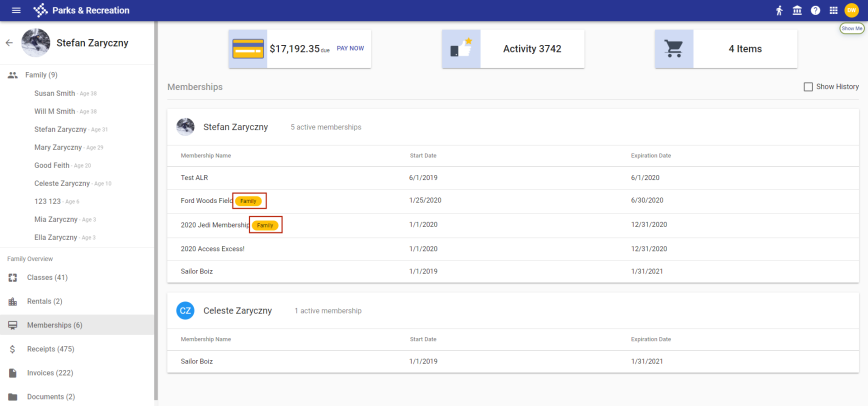
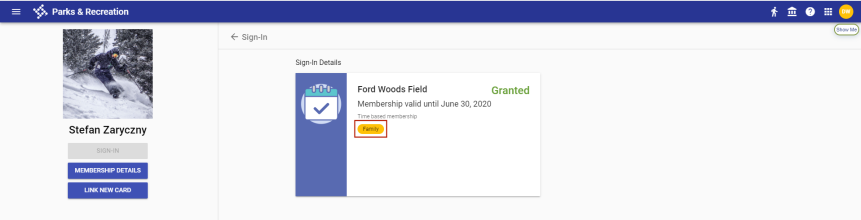
Gold Family chips identify family memberships in the Memberships section of the contact's page and on the contact's Sign-In page:
Contact's Memberships Section
Contact's Sign-In Page
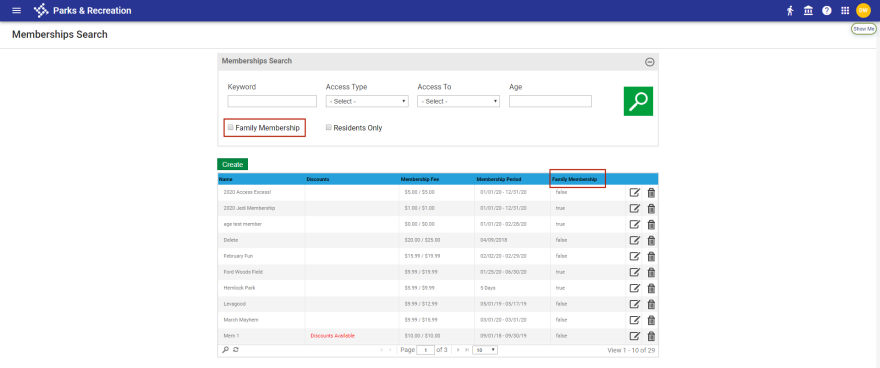
Family Membership also replaces the Is a Group Membership filter and column header on the Memberships Search page:
Members Discount
Administration > Cashier Setup > Discount > Create/Edit
On the Discount Details page, a Members discount has been added to the Discount Type drop-down to allow those involved in memberships to receive discounts when registering for participating classes:

Selecting Members displays a Memberships drop-down:
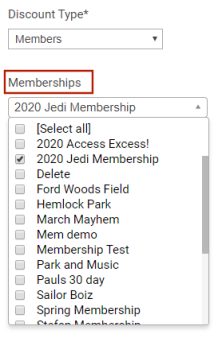
Anyone who is part of a membership selected in the drop-down and is registering for a class that participates in the membership receives the discount. The discount also applies to family members associated with any family memberships selected. Multiple memberships may be selected.